Building a Budget Gaming PC: Components That Deliver Big Performance
Build a budget gaming PC that punches above its price. Learn the best-value CPU, GPU, RAM, storage, PSU, and case picks, plus smart upgrade paths.
CPU and Motherboard: On a tight budget, the processor and motherboard set the foundation for performance and future upgrades. Favor a value-oriented CPU with strong single-thread performance, since it drives high frame rates in many esports and fast-paced titles. More cores help with streaming and creation, but don't overpay for silicon you won't fully use. Match the socket and chipset carefully, and prefer boards with solid VRMs, decent heatsinks, and two to four DIMM slots for memory expansion. A microATX board often delivers the same speed as larger ATX models while costing less and fitting compact cases. Look for features that save money later: M.2 NVMe slots, Wi‑Fi headers or onboard networking you actually need, and rear I/O with enough USB ports for controllers and storage. A simple BIOS with firmware update support, memory profile toggles (XMP/EXPO), and fan control makes tuning painless. Plan for an upgrade path by checking CPU support lists, so you can drop in a faster chip without rebuilding.
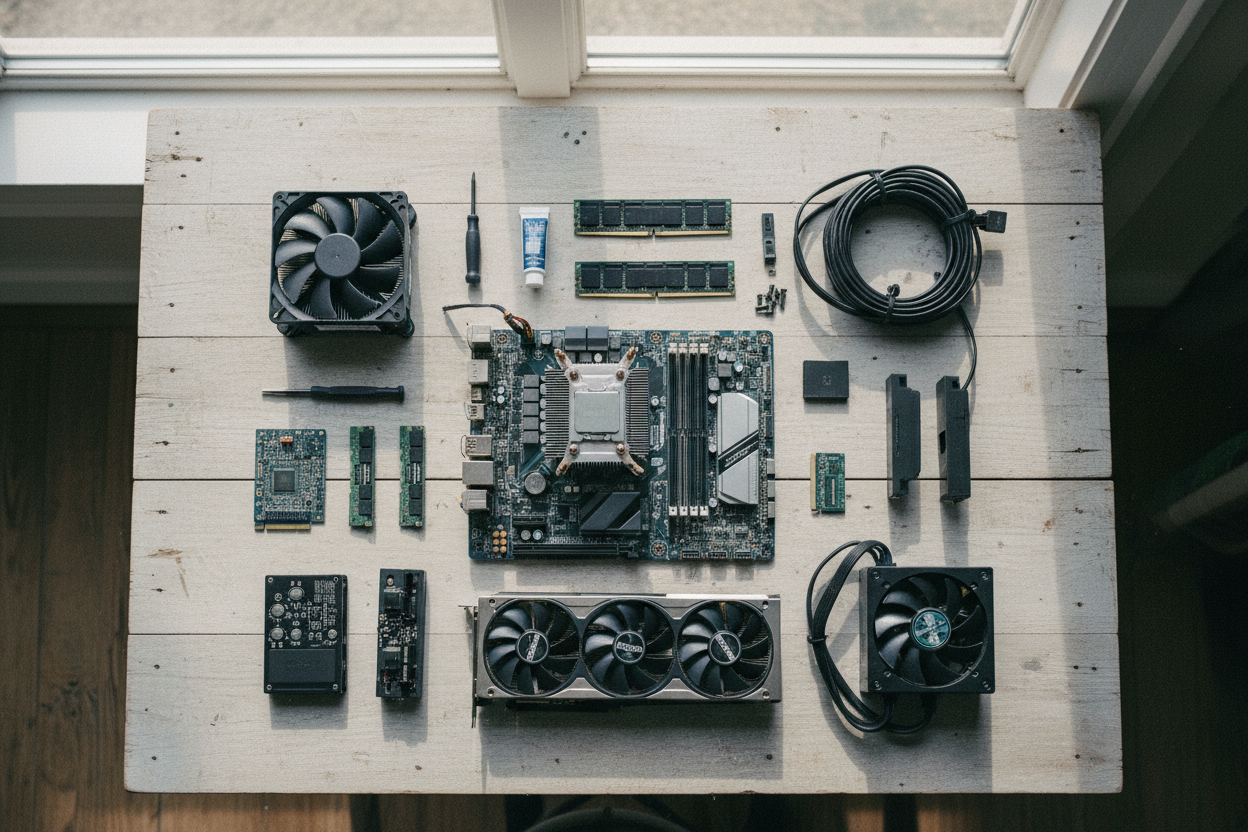
Graphics Card Priorities: The GPU is the workhorse for gaming, so balance performance per dollar with your target resolution and refresh rate. For 1080p play, a midrange card with efficient power draw can deliver smooth frames, while higher resolutions or high-refresh monitors benefit from stronger silicon. Prioritize adequate VRAM for modern textures and open-world assets; running short forces stutters or lower settings. Cooling matters: a dual-fan or well-vented design often runs quieter and holds boost clocks longer than compact blowers. Check the card length and slot clearance in your case, and verify the required PCIe power connectors match your power supply. Skip flashy extras that don't add frames, and consider undervolting to cut heat without losing noticeable performance. Use realistic in-game settings—balanced presets, sensible anti-aliasing, and upscaling where available—to hit a consistent frame target. The goal is stable, responsive gameplay, not just maximum sliders.
Memory and Storage Strategy: Smooth gaming loves dual-channel RAM and fast solid-state storage. Aim for 16 GB as a baseline, with 32 GB if you stream, mod heavily, or keep many apps open. Faster memory frequency paired with reasonable latency can lift minimum frames, especially in CPU-bound titles; enable XMP/EXPO in the BIOS to reach rated speeds. For storage, a NVMe SSD as your boot and primary game drive cuts load times and texture pop-in, while an additional SATA SSD (or second NVMe) gives space for large libraries. Consider a 1 TB primary and add capacity as you go, keeping at least 20% free for optimal performance and wear leveling. Organize installs so multiplayer titles sit on the faster drive for snappy map loads. Back up save files and configurations to a separate partition or external device. The combination of ample memory, tuned profiles, and quick storage keeps frame pacing tight and minimizes annoying hitches mid-match.
Power, Case, and Cooling: A reliable power supply protects every part, so choose a reputable unit with enough wattage headroom for your GPU and potential upgrades. An 80 Plus Bronze or better rating signals efficiency; modular cables simplify routing and airflow. Your case should prioritize airflow over aesthetics: a ventilated front, dust filters, and space for two or three 120/140 mm fans keep temperatures in check. Position intake fans at the front and exhaust up top or rear to maintain a gentle pressure balance. For the CPU, a competent tower air cooler often beats budget liquid options in value, noise, and maintenance. Apply a small, even layer of thermal paste, mount firmly, and set fan curves that ramp smoothly to avoid sudden noise spikes. Keep cables tidy behind the motherboard tray to reduce turbulence. Sensible thermals preserve boost clocks, extend component lifespan, and let your system run quietly while delivering consistent frame rates.
Assembly, Tuning, and Upgrades: Build methodically: seat the CPU, cooler, and memory on the board outside the case first, then install the M.2 SSD with its standoff. Ground yourself to avoid static discharge, and consult the motherboard manual for front-panel pins and PCIe slot recommendations. After first boot, update the BIOS/UEFI, enable XMP/EXPO, set your boot order, and configure fan curves. In the OS, install fresh GPU drivers, disable unnecessary startup apps, and select a balanced power plan that allows boost behavior. Validate stability with a few game sessions and light stress tests while watching temperatures and clock speeds. Later, the easiest upgrades are adding RAM, a larger NVMe, or a faster graphics card—planned around your power and cooling budget. Keep boxes, receipts, and a simple parts list for resale and warranty. By focusing on real-world bottlenecks and measured tweaks, you'll build a budget PC that feels snappy today and scales gracefully tomorrow.