VR and AR at Home: A Beginner's Guide to Immersive Tech
New to VR and AR? Learn the gear to buy, how to set up your space, stay comfortable and safe, and find great apps for immersive fun at home.
Understanding VR and AR at Home
VR and AR bring the thrill of immersive tech into everyday life, turning ordinary rooms into interactive spaces for play, learning, and productivity. Virtual reality places you inside a fully digital environment, creating a powerful sense of presence with panoramic visuals and responsive sound. Augmented reality layers digital information over your surroundings, helping you visualize furniture layouts, follow step-by-step guides, or explore interactive storytelling without losing sight of the real world. Both rely on sensors like cameras and motion units for tracking, translating your head and hand movements into natural control. In the realm of computers and consumer electronics, these devices fit alongside smartphones, laptops, and smart home gear, offering new ways to watch media, exercise, and collaborate. Key concepts such as field of view, latency, and positional tracking influence comfort and realism, while intuitive hand tracking and voice input streamline interaction. For beginners, understanding these building blocks helps you match expectations with practical setups at home.
Choosing Your First Headset or Glasses
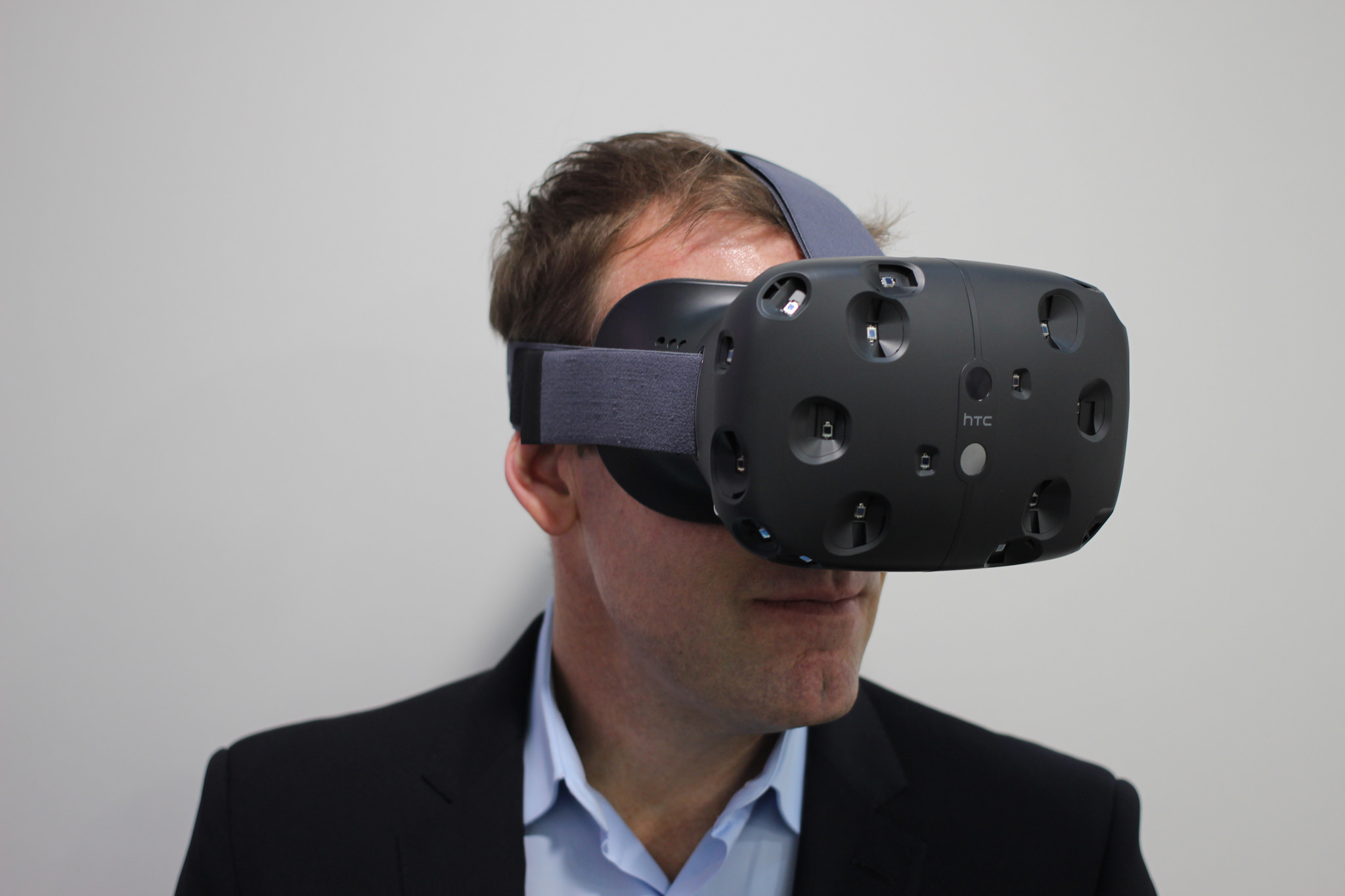
Picking your first headset or glasses starts with deciding how you plan to use VR or AR. Standalone units prioritize convenience, while PC-tethered options push higher fidelity if your computer is ready to drive them. For lighter overlays and everyday tasks, smart glasses emphasize comfort and subtlety. Compare resolution per eye, refresh rate, and field of view, since these shape clarity, smoothness, and immersion. Look for IPD adjustment and lenses with a broad sweet spot to reduce eye strain. Inside-out tracking uses onboard cameras and is simple to set up, whereas outside-in base stations can increase precision if you have the space. Comfort matters: check weight balance, strap design, padding, and spatial audio quality. Decide whether you prefer controllers, hand tracking, or both. Think about battery life, room size, and whether you might explore wireless streaming from a PC later. The right choice balances features you will actually use with a budget you feel good about.
Setting Up a Safe, Comfortable Play Area
A smart setup protects your gear, your space, and your focus. Define a guardian boundary that suits room-scale movement, or choose a seated or standing mode if space is limited. Clear obstacles such as coffee tables, low stools, and power cords. Manage cables along walls or above head height to reduce tangles. Inside-out tracking prefers consistent lighting; avoid strong backlight, mirrors, and reflective surfaces that can confuse cameras. Keep pets and bystanders out of your play zone, and consider a VR mat to help you feel orientation through your feet. Use passthrough to glance at surroundings without removing the headset. Maintain airflow to keep you cool, and prevent lenses from fogging with anti-fog measures or brief breaks. Follow an eye comfort routine like the 20-20-20 approach, and stretch your neck and shoulders regularly. Store the headset on a stand, remove sweat with non-abrasive wipes, and never leave lenses facing direct sunlight, which can damage screens quickly.
Finding Content and Beating Motion Sickness
Start with experiences designed for comfort. Choose titles that use teleport locomotion, snap turning, or adjustable vignette effects as you build tolerance. Gradually try smooth movement if desired, and keep early sessions short to reduce motion sickness. Fine-tune IPD, headset fit, and refresh rate options for your comfort and clarity. Explore genres beyond games: guided workouts, virtual desktops, creative sculpting, language practice, and meditative landscapes. For AR, try utilities that use plane detection and spatial mapping to place objects realistically, or interactive guides that overlay steps on appliances. Check comfort ratings in content libraries, and read settings menus thoroughly; small tweaks to blinders, turning speed, or haptic intensity can transform the experience. Use audio thoughtfully, balancing immersion with awareness of your surroundings. When in doubt, pick beginner-friendly experiences that teach interaction basics and tracking quirks, then branch out into deeper simulations and productivity tools as your confidence grows.
Enhancing the Experience with Accessories and Integrations
Accessories can elevate comfort, clarity, and control. A balanced battery headstrap, breathable face gasket, and prescription lens inserts reduce fatigue and keep visuals crisp. Controller grips improve retention during fast motions, while a VR mat anchors your stance. For advanced tracking, consider external trackers or improved base placement; for haptics, explore vests or wearable feedback bands. Clean visuals with a microfiber lens cloth, and use non-alcohol wipes for face padding. On the integration side, casting lets others see what you see, and wireless PC streaming unlocks higher-end graphics without a tether. Hand tracking and voice commands reduce reliance on controllers for quick tasks. In AR, leverage spatial anchors to pin notes or controls around your home, from timers above the oven to checklists on the workbench. For social experiences, set multiplayer boundaries, use privacy controls for microphones and cameras, and practice room etiquette to keep everyone comfortable and safe.
Maintenance, Privacy, and Future-Proofing
Good habits keep your gear reliable and your data protected. Update firmware and apps regularly for performance, latency fixes, and new features. Store headsets in a cool, dry place, and avoid long sun exposure that can harm optics. Clean lenses with care, replace face gaskets when worn, and manage batteries by avoiding extreme heat or deep discharge. Review privacy settings for passthrough video, microphone access, and any eye tracking data or analytics. For family use, enable profiles or parental controls, and set session time reminders to support healthy habits. Consider open standards support for broader compatibility, and choose accessories that can move to your next device, like audio solutions or modular straps. Resist spec chasing; focus on comfort, content you love, and workflows that truly benefit you. When upgrading, recycle or donate older gear responsibly. With thoughtful maintenance and mindful settings, you can enjoy VR and AR today while staying ready for what comes next in consumer tech.